
Configuring Updates for Proxmox Backup Server
This article goes over setting up Community based updates. By default, PBS (and Proxmox VE), are configured to download the 'Enterprise' repository for your updates. Unless you do have an enterprise license, we need to add the 'no-subscription' repository and disable the enterprise repository.
- Login to PBS
- Go to Administration, Repositories and click Add
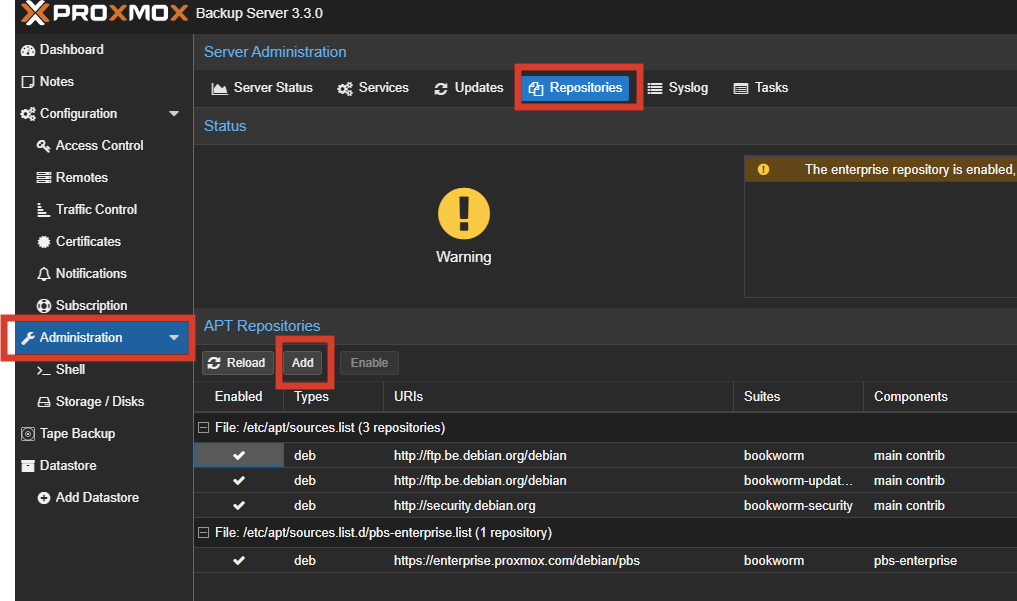
- Select the 'no-subscription' repository and click Add
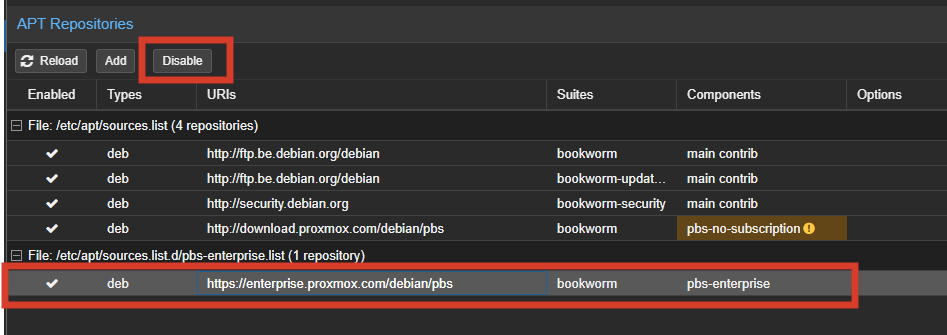
- Select the 'pbs-enterprise' repository and click 'disable'
Go to 'administration', 'Updates', and click 'refresh'. This will will check the repository for updates. Afterwards click on 'update' or run update from the ssh or shell
sudo apt update && sudo apt upgrade -y